
Best CS2 Viewmodel Settings & Hand Positions
Changing your viewmodel in CS2 affects much more than just the appearance of your weapon. A well-configured hand position can improve visibility, reduce visual clutter, and make the overall gameplay experience feel more comfortable.
This guide features popular CS2 viewmodel presets with ready-to-use console commands. You can quickly copy any setup into the console and test which weapon position works best for your playstyle.
Why Change Your Viewmodel in CS2?
The default weapon position in CS2 does not work perfectly for every player. Some players feel that the gun model blocks too much of the screen, while others prefer a more classic or minimal appearance.
Viewmodel commands allow you to change weapon distance, height, horizontal offset, and field of view. These settings help customize the game visually and make the screen feel cleaner during matches.
To apply any preset below, simply open the developer console in CS2 and paste the commands directly into the game.
Competitive Balance
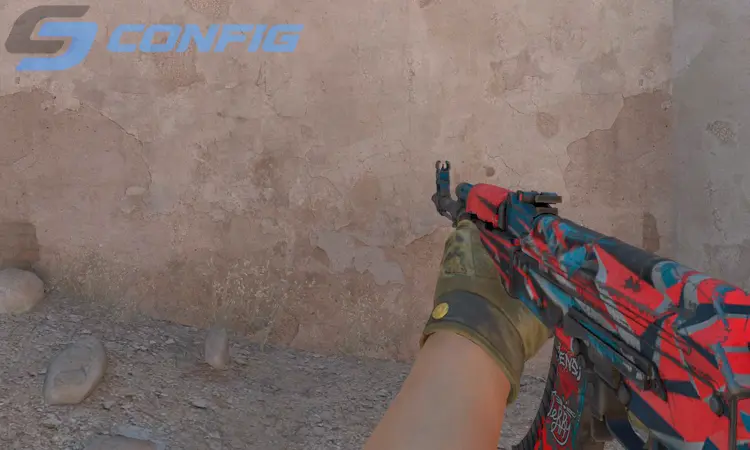
Competitive Balance is one of the most universal viewmodel presets in CS2. The weapon stays in the lower-right corner while maintaining a balanced amount of screen visibility.
This setup is ideal for players who want a professional-looking configuration without extreme positioning. It works well in matchmaking, FACEIT, and competitive environments.
Minimal Screen Setup
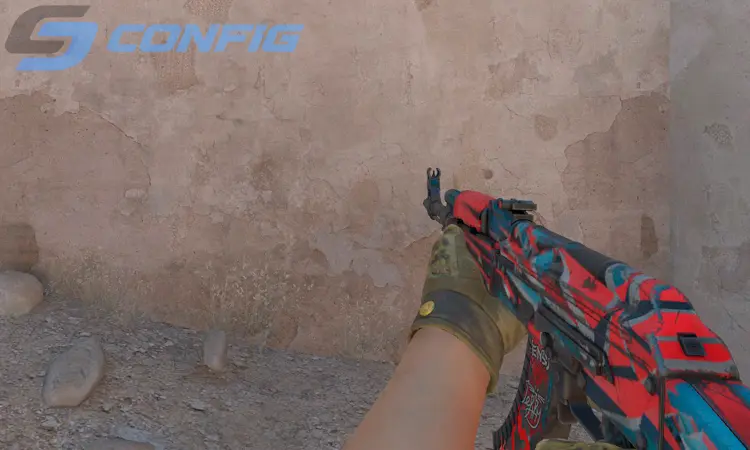
Minimal Screen Setup pushes the weapon further away and lower on the screen, creating a cleaner overall image during gameplay.
This preset is especially popular among players using stretched resolutions because larger weapon models can sometimes feel distracting. If you prefer maximum visibility, this setup is a great choice.
Classic Counter-Strike Style
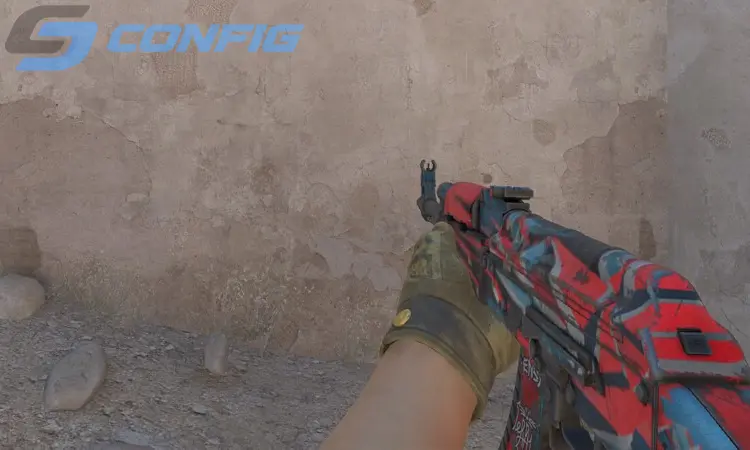
Classic Counter-Strike Style recreates the old-school weapon positioning seen in previous versions of Counter-Strike. The weapon sits slightly closer to the center and feels more compact.
Although this setup does not provide the cleanest visibility, many longtime players enjoy the nostalgic feeling and familiar appearance it offers.
Cinematic Weapon View
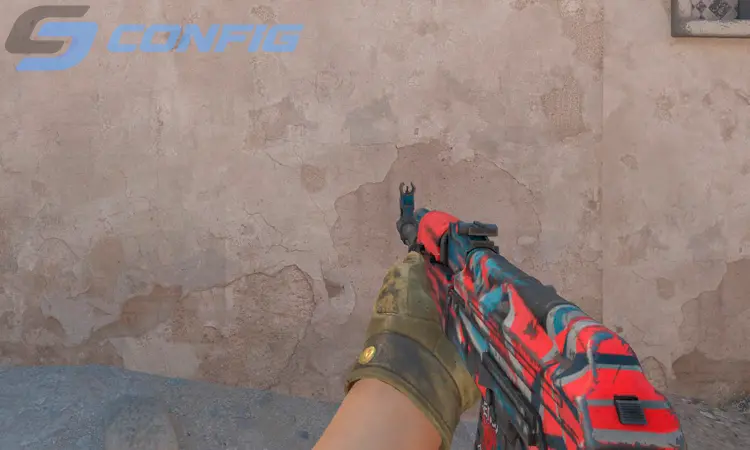
Cinematic Weapon View creates a more dramatic and centered appearance. The weapon model becomes more noticeable and gives the game a unique visual style.
While this setup is not commonly used in high-level competitive play, it can look impressive on larger monitors and offers a refreshing alternative to standard viewmodels.
Extended Hand Position
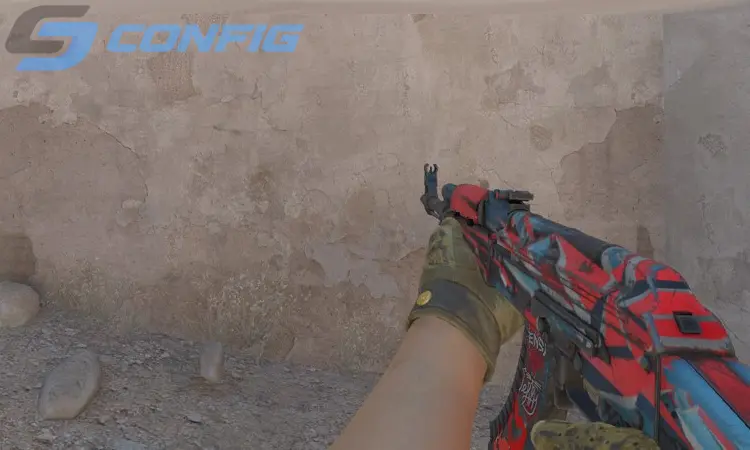
Extended Hand Position places the weapon further from the camera, making the model appear smaller and less intrusive during gameplay.
This preset is especially useful for AWP players and users who want a wider and cleaner visual experience while holding angles.
High Weapon Placement
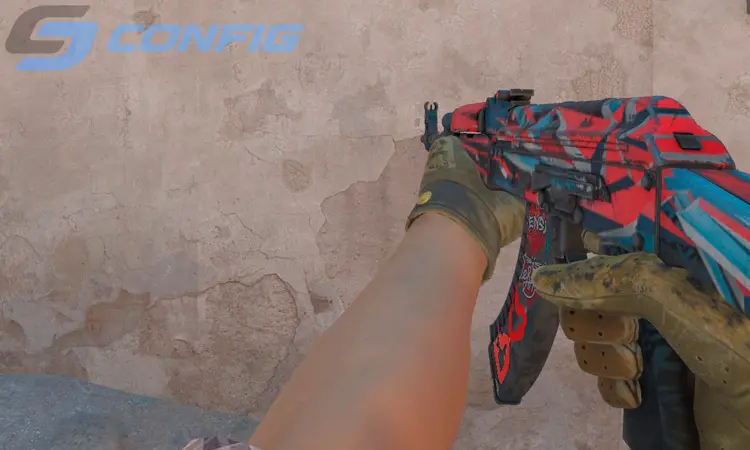
High Weapon Placement moves the weapon model upward, making skins and animations more visible during gameplay.
Although this setup can reduce visibility slightly, many players enjoy it because it highlights weapon details and creates a more stylish appearance.
Centered Viewmodel
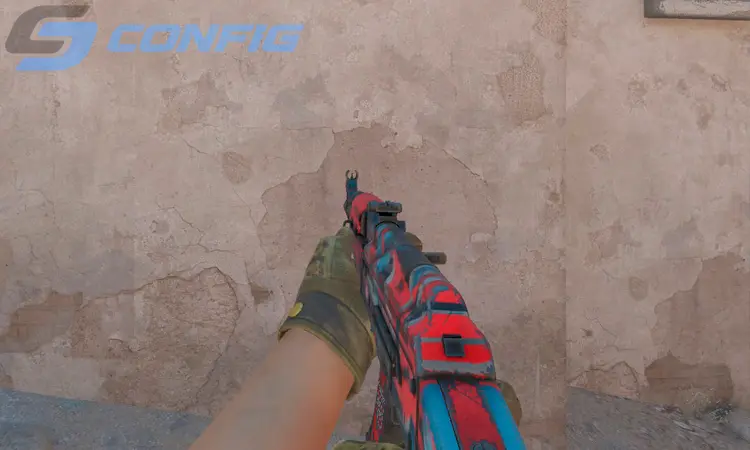
Centered Viewmodel shifts the weapon closer to the middle of the screen, creating a very different visual experience compared to traditional setups.
This configuration is mainly used by players who prefer symmetrical visuals or enjoy experimenting with unusual hand positions in CS2.
Hidden Weapon Layout
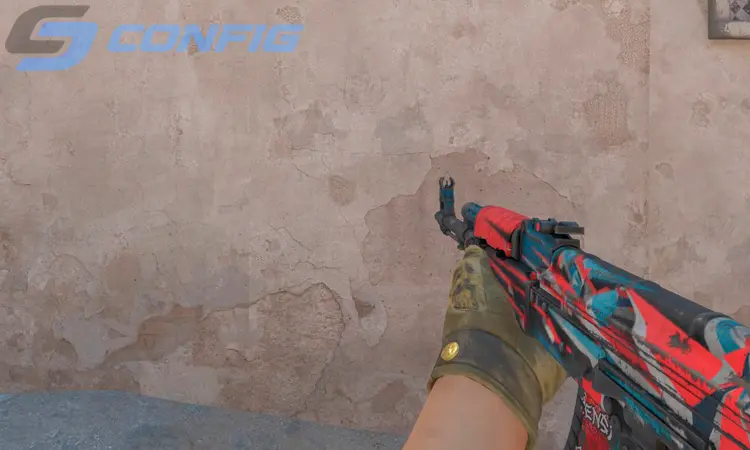
Hidden Weapon Layout keeps the weapon model as far away from the center of the screen as possible. It minimizes distractions and creates a very clean gameplay experience.
This setup is perfect for players who prioritize visibility above everything else, especially on lower resolutions or smaller monitors.
Which CS2 Viewmodel Should You Choose?
If you are unsure where to start, try Competitive Balance or Minimal Screen Setup. These presets offer the best balance between visibility and comfort for most players.
The best CS2 viewmodel depends on your resolution, monitor size, and personal preference. Testing multiple presets is the best way to find the perfect setup for your gameplay.
FAQ - CS2 Viewmodel Questions
How do I change my hand position in CS2?
What is the best viewmodel in CS2?
Does viewmodel affect recoil or accuracy?
Can I reset my CS2 viewmodel settings?
Why do pro players use custom viewmodels?
Conclusion
CS2 viewmodel settings are highly personal and can dramatically change how the game feels. Some players prefer minimal weapon visibility, while others enjoy classic or centered weapon placements.
Try several presets from this guide and choose the one that feels the most natural for your gameplay, aim, and overall screen visibility.
Random CS2 Guides