
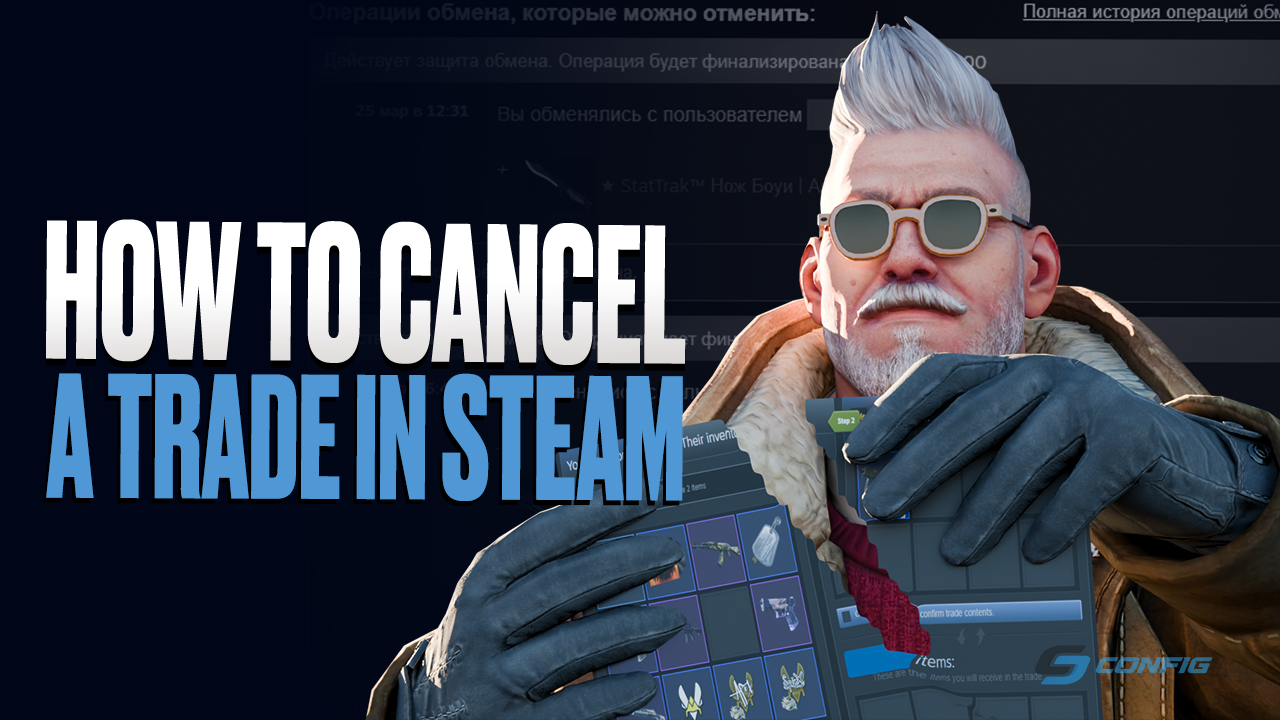
How to Cancel a Steam Trade and Recover CS2 Skins
For many years, Steam trades were considered final. If a user accidentally sent items, became a victim of scammers, or lost access to an account after being hacked, recovering CS2 skins was almost impossible. However, Valve changed its approach to inventory safety and introduced Trade Protection, a system that allows eligible Counter-Strike 2 item trades to be reversed within a limited time window.
In this guide, we will explain how Steam trade cancellation works, whether it is possible to recover CS2 items, what happens after reversing trades, and when this feature can actually help protect your inventory.
How Steam trades work
Every Steam trade goes through several stages. First, one user sends a trade offer, and the other user must accept it. While the offer is still pending, it can be cancelled freely without any penalties.
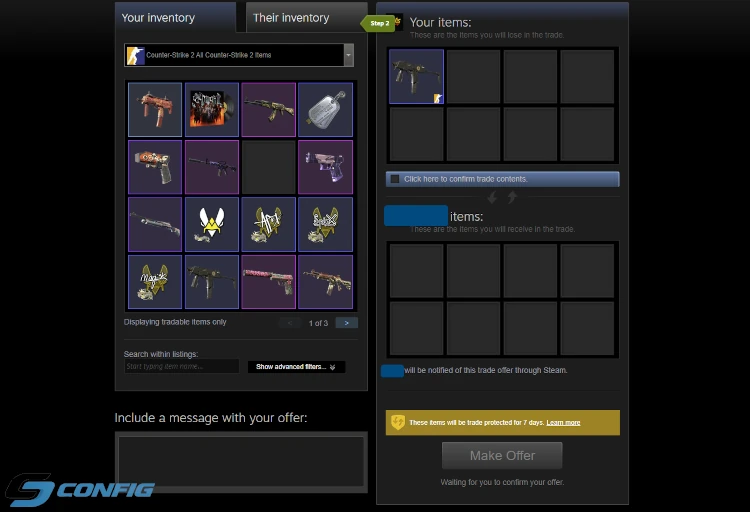
Once the trade is confirmed, it is usually treated as completed. In the past, such trades were final, and recovering items was only possible through Steam Support, with a very low chance of success. With the introduction of Steam Trade Protection, the situation has changed. Counter-Strike 2 items now receive an additional protection period, allowing users to reverse eligible trades made within the last seven days if the account was compromised or affected by suspicious activity.
What is Steam Trade Protection?
Steam Trade Protection is a security system designed to protect users from scams, account theft, and unauthorized inventory transfers. After receiving CS2 items through a trade, those items become protected for seven days.
If the account owner notices suspicious activity, loses access to the account, or becomes a victim of a scam, they may be able to cancel all eligible trades made during the last seven days. After the cancellation, the items are returned to their original owners automatically. This gives CS2 players an extra layer of protection for expensive knives, gloves, rare skins, and other valuable items.
What is the 7-day Steam trade lock?
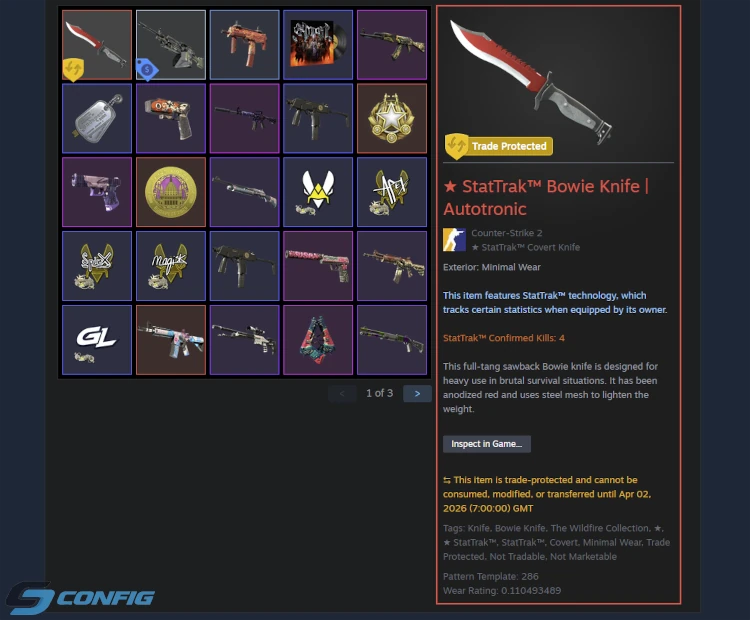
Alongside Trade Protection, Steam introduced an additional restriction for Counter-Strike 2 items - the 7-day trade lock. After receiving a skin through a trade, the item becomes temporarily locked and cannot be freely moved or modified.
During this seven-day period, the owner cannot send the item to another user, sell it on the Steam Community Market, or use it in another trade. This restriction is applied automatically to protected CS2 items. In addition, some item modifications are also disabled while the trade lock is active. For example, players cannot apply stickers, use name tags, or make other changes that could alter the skin.
The reason for this system is simple: if a trade is cancelled, the item must return to its original owner in the same condition. After the seven-day period ends, the restrictions are removed automatically, and the item becomes available for normal use, trading, selling, and customization.
How to cancel a Steam trade
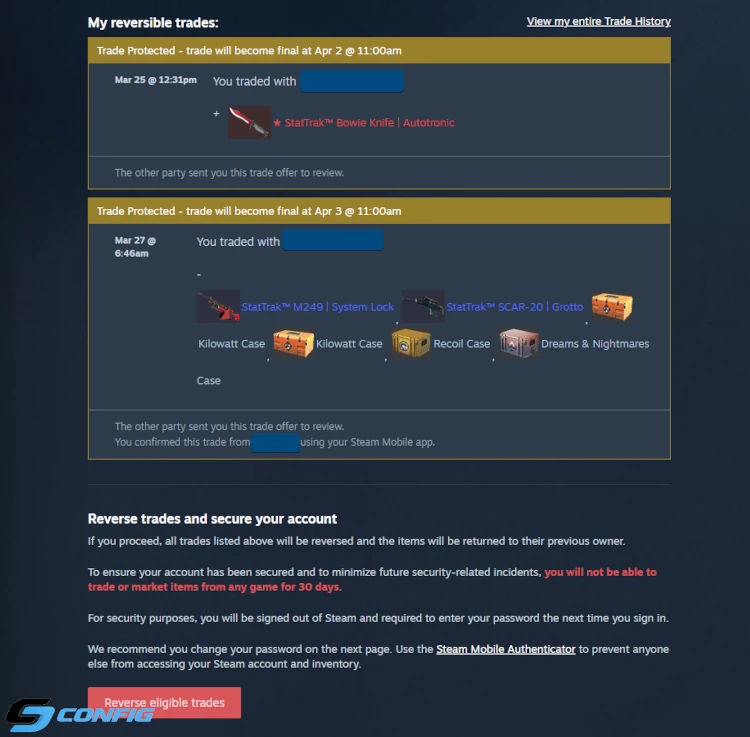
To cancel eligible Steam trades and recover CS2 items, follow these steps:
- Open Steam Support.
- Select Counter-Strike 2.
- Go to the section related to items or inventory issues.
- Open your trade history.
- Find the item recovery or trade reversal notification.
- Confirm the cancellation of all eligible trades.
After confirmation, Steam will start the recovery process and reverse all trades that are available for cancellation under Trade Protection.
Where to find Steam trade history
Your Steam trade history is located inside your Steam account and contains information about all completed trades. There you can check the trade date, the list of transferred items, and the trade status. This section is also used to start the item recovery and trade cancellation process.
What happens after cancelling trades?
Before using the item recovery feature, it is important to understand the consequences.
- All eligible trades will be reversed.
- Items will be returned to their original owners.
- Steam will log the account out from all devices.
- A temporary trade restriction may be applied to the account for up to 30 days.
Because of these consequences, trade cancellation should only be used in serious situations, such as account hijacking, unauthorized trades, or the loss of valuable CS2 inventory items.
Steam trade recovery limitations
Although Steam Trade Protection is a useful security feature, it has several important limitations:
First, you cannot cancel only one specific trade. Steam reverses all eligible trades made within the protected seven-day period.
Second, the recovery system only applies to items that are covered by Steam Trade Protection.
Third, if the protection period has expired, the trade can no longer be reversed through this system.
Why is there no trade cancellation button?
One of the most common problems is that users cannot find the trade cancellation or item recovery button. This usually happens for one of the following reasons:
- More than seven days have passed since the trade;
- The trade does not involve protected CS2 items;
- There are no eligible trades under Trade Protection;
- The trade has not been fully completed yet;
- The feature is temporarily unavailable due to Steam account restrictions.
If Steam says that there are no available actions for trade recovery, it usually means that the items can no longer be restored through Trade Protection.
Frequently Asked Questions
Can I cancel one specific Steam trade?
How much time do I have to recover CS2 items?
What happens after Steam trade cancellation?
Can I recover CS2 skins after my Steam account was hacked?
What is a Steam trade lock?
Conclusion
Steam trade cancellation has become one of the most important security updates for Counter-Strike 2 players. It gives users a chance to recover stolen or lost items without relying only on Steam Support and helps protect valuable inventories from scams.
However, this feature should only be used in serious situations. After cancelling trades, the account may receive temporary restrictions, and all eligible trades from the last seven days will be reversed without the option to select individual transactions.
Random CS2 Guides