
How to Move Hands Closer or Further in CS2
Hand position in Counter-Strike 2 affects not only how your weapon looks on screen, but also how you perceive the game overall. Some players prefer a more distant viewmodel to maximize visibility, while others choose a closer setup for a more immersive and detailed look. With CS2 viewmodel commands, you can fully customize weapon placement to match your preferences.
Viewmodel commands in CS2
In Counter-Strike 2, hand position is controlled through console commands known as viewmodel settings. These allow you to move your weapon in different directions and adjust how it appears on your screen. Below are the main commands used for customization.
viewmodel_offset_x - left and right movement
This command shifts your weapon horizontally. You can move it closer to the center or push it further to the side.
Values: from -2 to 2.5
viewmodel_offset_y - up and down movement
Controls vertical positioning. It allows you to raise or lower your weapon on the screen.
Values: from -2 to 2
viewmodel_offset_z - forward and backward movement
Adjusts the depth of your weapon model. You can bring it closer or push it further away.
Values: from -2 to 2
viewmodel_fov - field of view
Determines how large your weapon appears. Higher values make it look smaller and more distant.
Values: from 54 to 68
How to move hands closer or further in CS2
Below are several popular setups that players use in CS2. You can create a distant viewmodel for better visibility, bring the weapon closer for a stronger visual presence, keep it centered for balance, or raise it higher for a custom feel. Simply enter these commands in the console and test what works best for you.
How to get far hands?
If you want more space on your screen and fewer distractions, a distant viewmodel is the best choice. This setup makes the weapon less noticeable and improves overall visibility during gameplay.
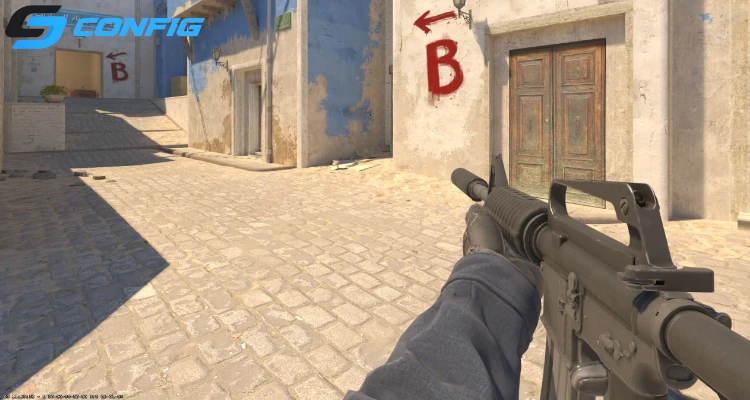
These settings push the weapon away and slightly to the side. As a result, your hands take up less space, giving you a cleaner view of the battlefield. This setup is often used by pro players who prioritize maximum visibility.
How to get close hands?
If you prefer a more immersive look where the weapon feels closer and more detailed, you can bring your hands as close as possible. This makes the weapon more prominent on the screen.
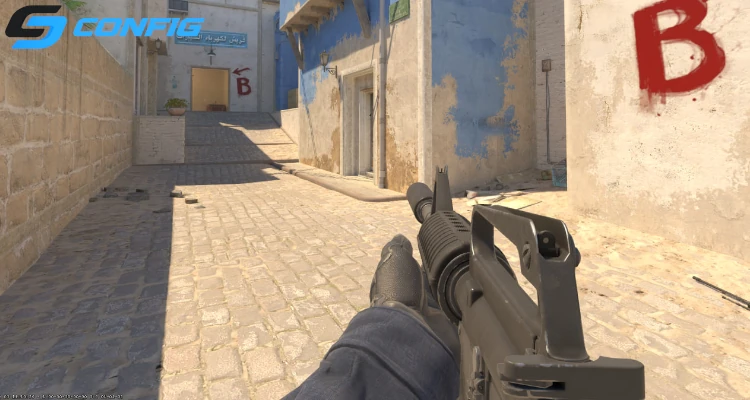
With these settings, the weapon becomes larger and more centered. While it looks more detailed, it also takes up more space, which can reduce your field of view compared to distant configurations.
How to center hands with medium distance?
For a balanced experience, you can keep your hands closer to the center while maintaining a moderate distance. This is a great all-around option for most players.
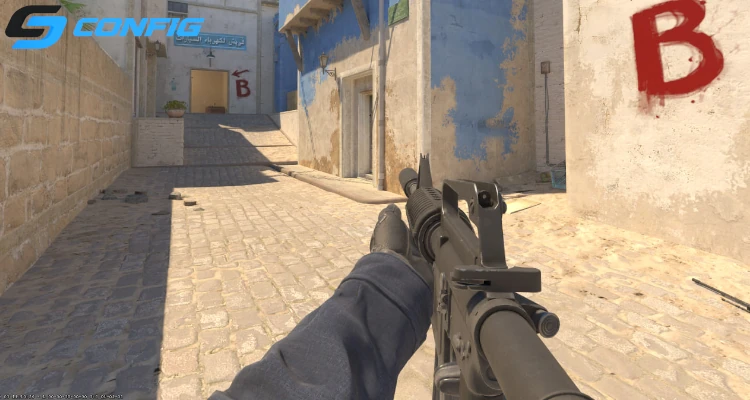
This setup keeps the weapon in a neutral position. It doesn’t feel too far or too close, making it a comfortable choice for everyday play.
How to raise hands higher?
If you want to lift your weapon higher on the screen, you need to adjust its vertical position. This can create a unique look and change how you perceive your viewmodel.
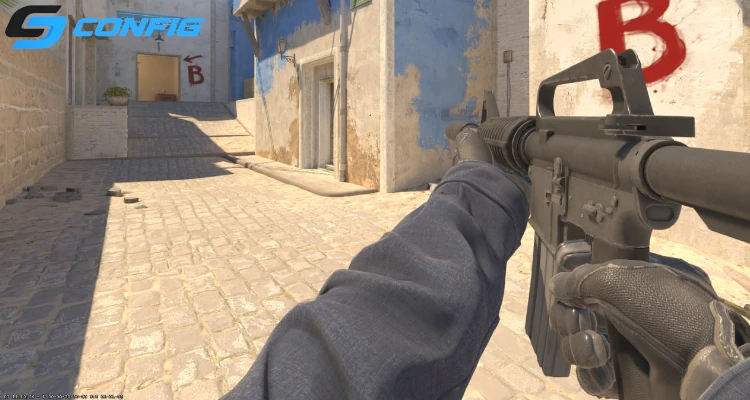
The key parameter here is viewmodel_offset_z, which controls how high the weapon appears. Higher values push the model upward, creating a different visual feel. This setup is less common but can suit players looking for something unique.
Conclusion
CS2 viewmodel settings are all about personal preference. Distant hands improve visibility, close hands enhance visuals, centered setups offer balance, and raised hands provide a custom look. The best approach is to try different options and choose the one that feels most comfortable for your playstyle.
Random CS2 Guides